Metadata plays a key role in organising content, making assets searchable, reportable, and ready to move through workflows. In addition to clips, collections, and deliverables, metadata can also be applied at the workspace level.
Workspace-level metadata allows you to define and store information that applies to an entire workspace, rather than repeating the same details across individual items.
What is Workspace-Level Metadata?
A workspace often represents a broader operational context, such as a production or a project. Workspaces can frequently link with another unifier that is important for reporting or accounting purposes. It is then possible to apply a workspace-level identifier, such as a production or department ID, broadcaster ID, compliance profile, or archiving status.
This metadata can be used to support workflow automation, build specific dashboards, and improve internal accounting.
How to Configure and Use Workspace Metadata
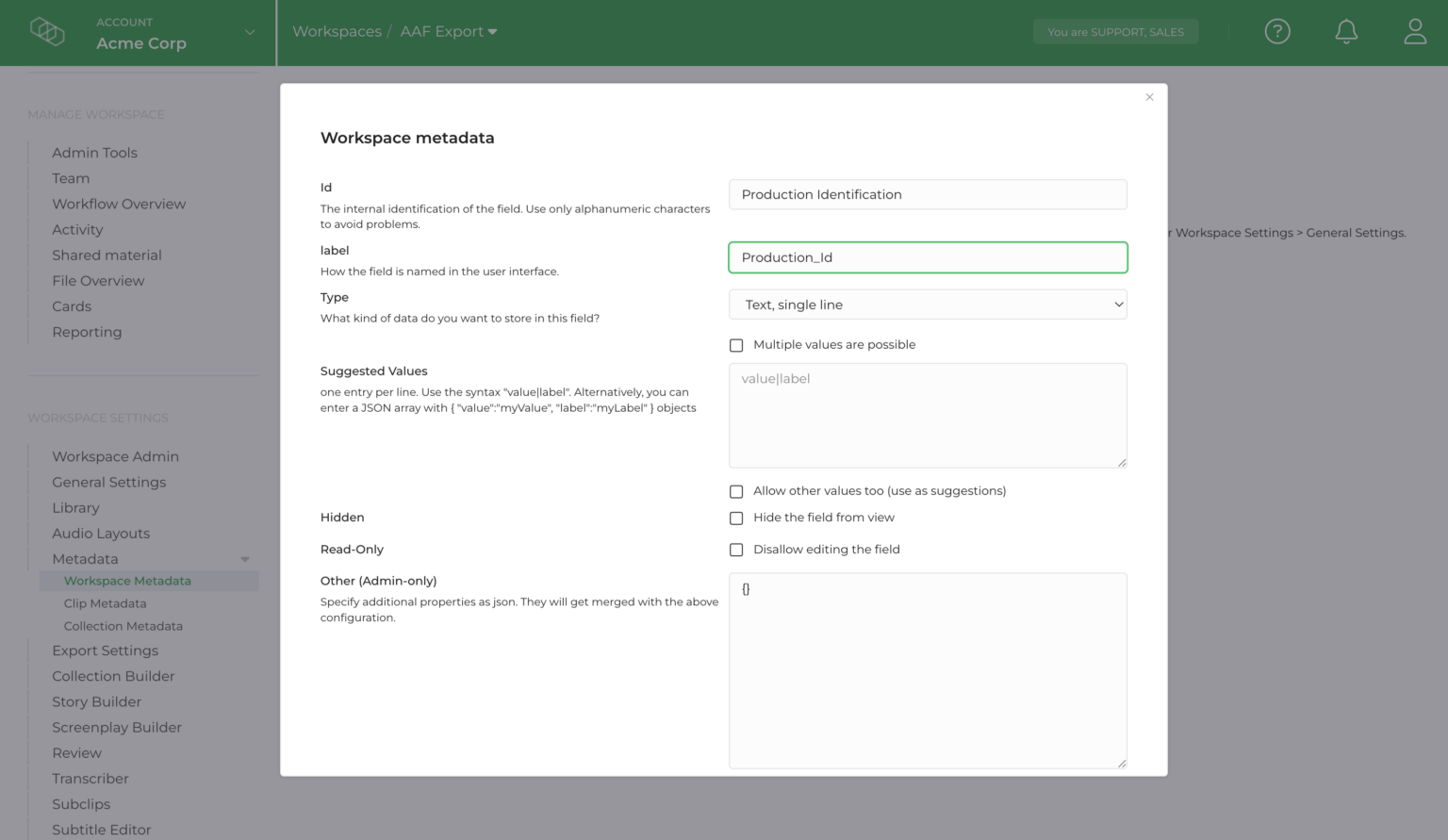
As an admin user, you can define and manage workspace-level metadata through the workspace settings:
To configure metadata fields:
- Go to the workspace settings.
- Locate the metadata configuration section.
- Define the required workspace metadata fields, similar to how you would for clips or collections.
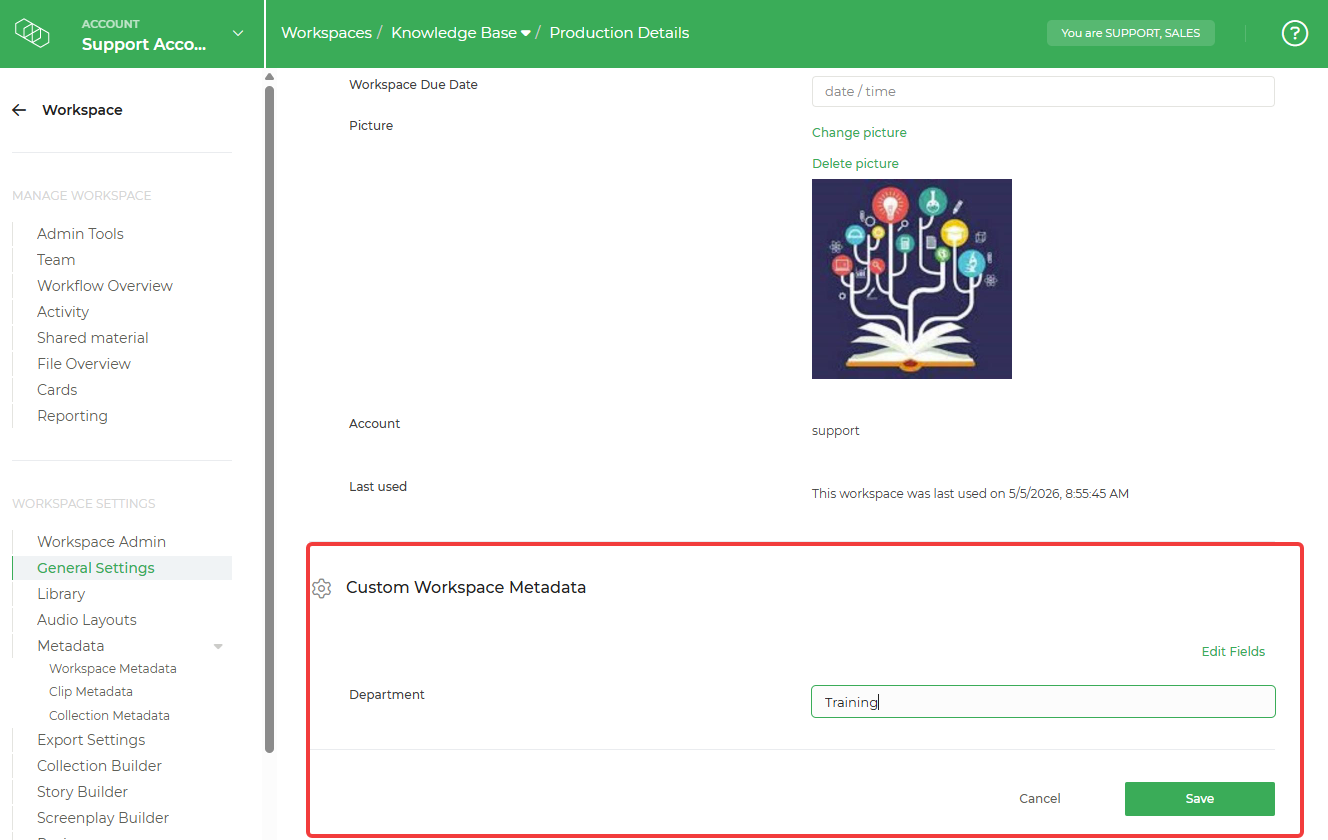
To populate metadata values:
- Open the workspace 'General Settings' page.
- Enter values for the configured metadata fields.
- Save your changes to apply them to the workspace.
Once configured and populated, workspace metadata can be use in subsequent workflow automation and reporting.
Making Workspace-Level Metadata Searchable
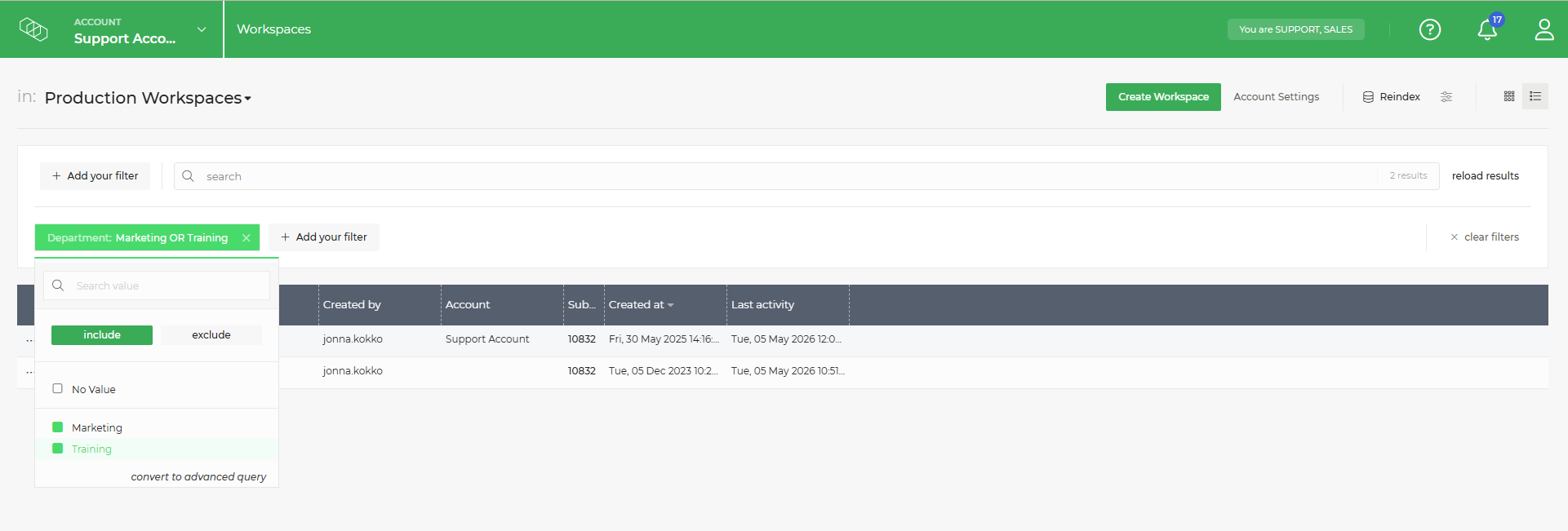
To make workspace-level metadata searchable in the workspace overview, a workspace template must be available so that the metadata fields appear as filters.
For example, you could create a workspace template that includes a metadata field such as department in your account. Once this template is in use, the metadata becomes available in the workspace listing filters, allowing you to perform targeted searches and quickly find the workspaces that you need.