
When working in a professional production environment, ingest is much more than simply copying files from one location to another. It is necessary to prove that every file has been transferred completely, accurately, and in a way that can be verified later if required.
Camera cards, field recordings, and production drives often contain irreplaceable material. Once that media enters post-production, you need complete confidence that nothing has been lost, altered, or corrupted during the transfer process.
Limecraft Edge provides robust verification during offload to ensure media integrity is maintained from source to destination. It supports ASC Media Hash List (MHL) files, alongside MD5-based workflows.
Both approaches are fully supported and can be used depending on your workflow preferences or facility standards.
ASC Media Hash List (MHL) and MD5 Support in Limecraft Edge
As part of card offloads you have a choice between MHL and MD5 verification. MHL files are written in to the destination folder alongside the copied media files, creating a portable and standardised record of the transfer.
This means you can choose the verification approach that best suits your workflow, whole maintaining full confidence in the integrity of your media.
Configuring Verification Preferences for Limecraft Edge
To manage the verification preferences for your project
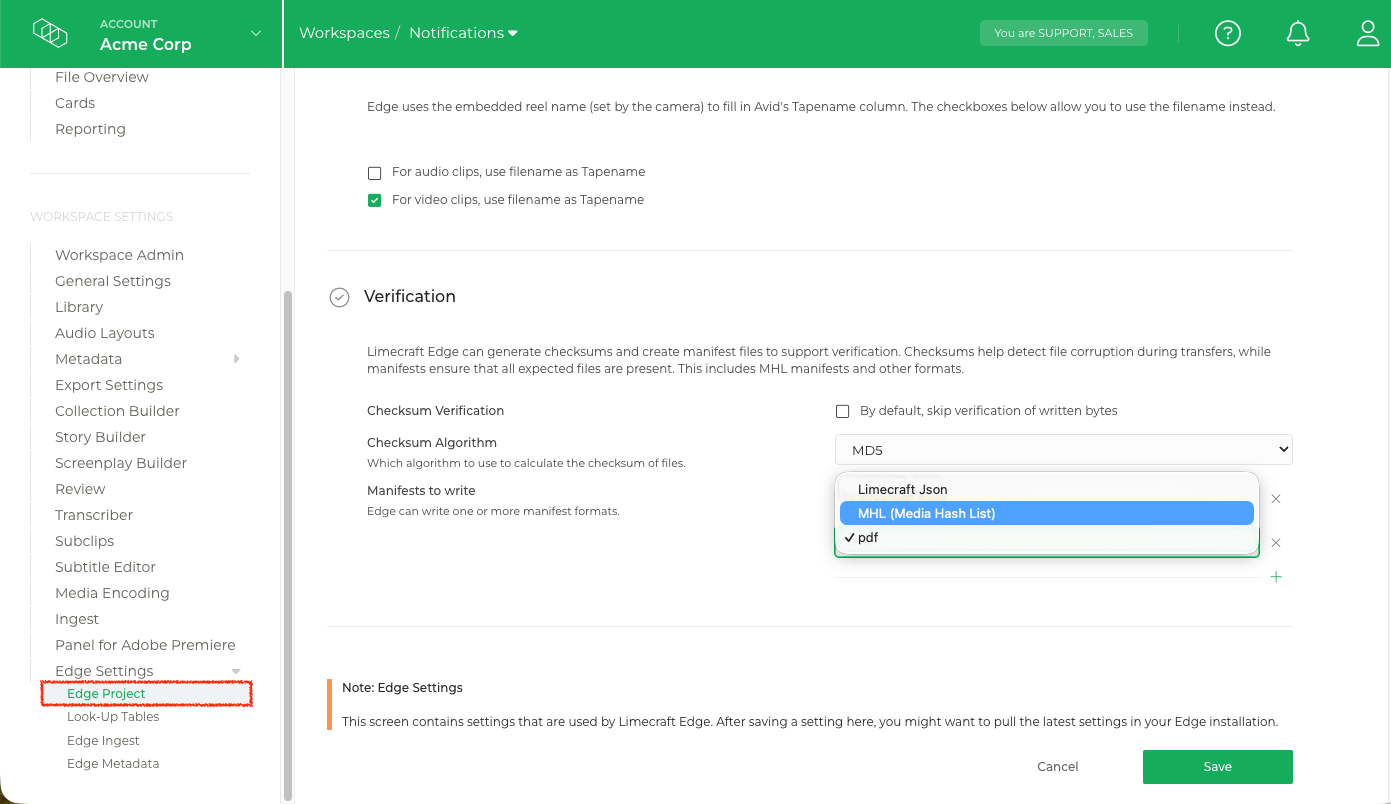
- Go to the Edge Project settings of the relevant workspace
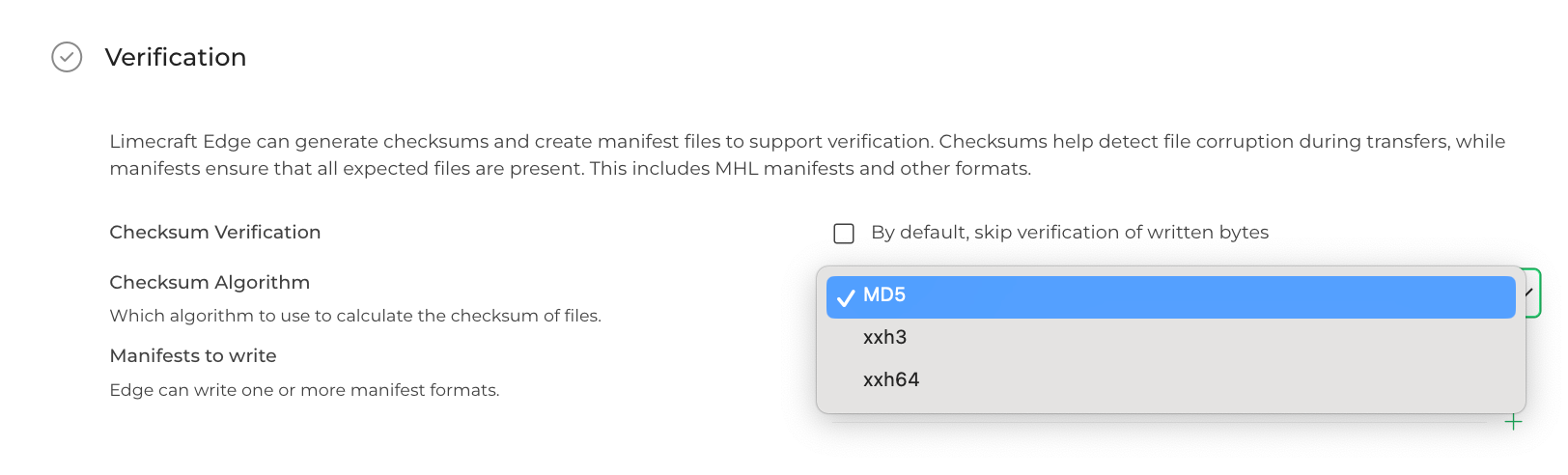
- Select the Checksum Algorithm in the Verification settings. You have a choice between MD5, xxHash 64 and xxHash 3 (64-bit).
- MHL files are written in the destination folder alongside the media files.
These checksums are also recorded in the MHL outputs, so cards and disks offloaded with Limecraft Edge can be verified with other MHL-capable tools and post-production workflows.