The Limecraft Mobile App allows production teams to review, collaborate on, and comment on video content while on the go. Designed as an extension of the Limecraft platform, the app provides secure access to your content and helps streamline dailies review workflows from any location.
TABLE OF CONTENTS
The Limecraft Mobile App is available for both iOS and Android devices and can be downloaded free of charge from the Apple App Store and Google Play Store.
To use the Limecraft Mobile App, you need to have an active Limecraft subscription or be part of an organisation with an active Limecraft subscription.
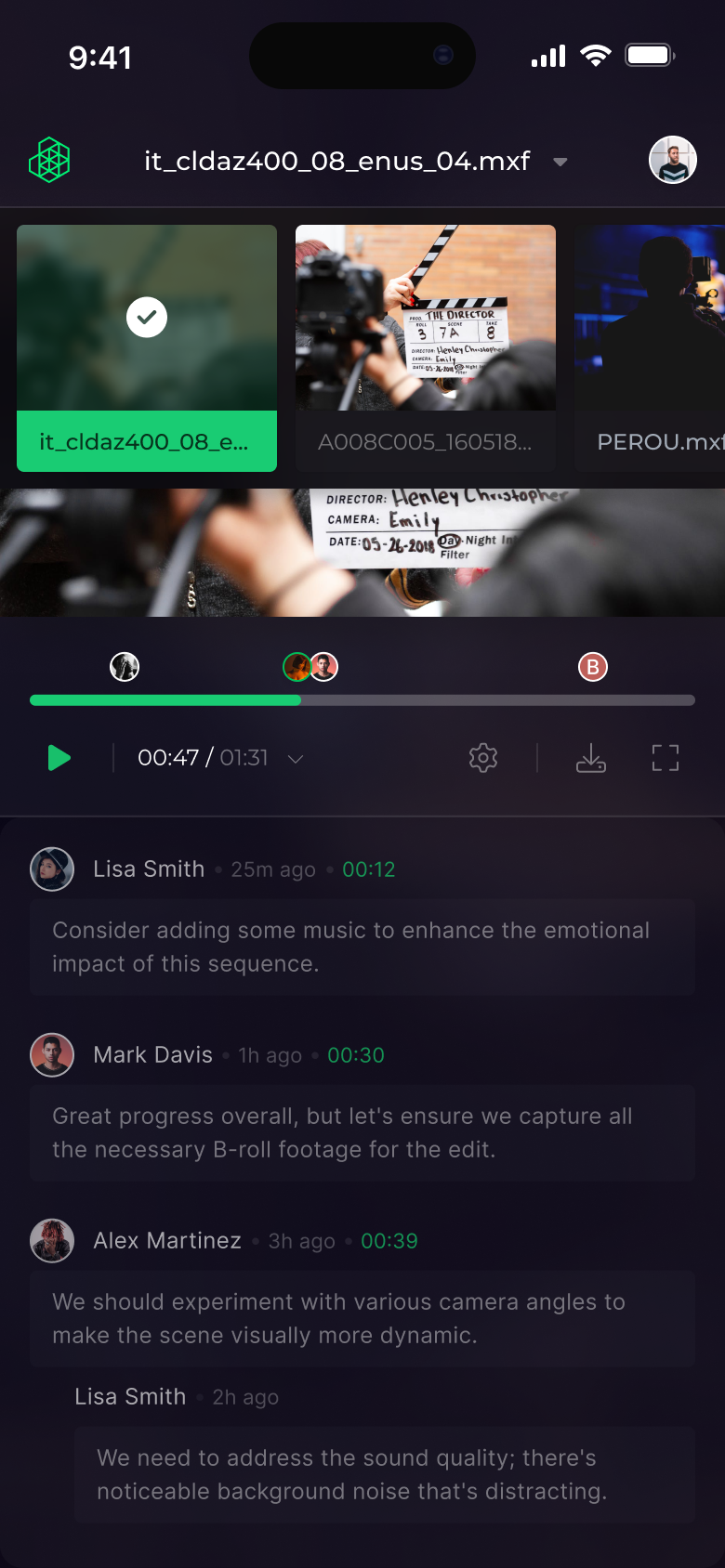
Main functionalities: View, Review, Comment, Upload
With the Limecraft Mobile App, you can:
- View video content. Access and watch video assets available to you in your Limecraft collections.
- Review dailies on the go. Quickly review newly uploaded content from anywhere, without needing access to a desktop environment.
- Comment and collaborate. Add comments and feedback directly to videos, helping production teams collaborate efficiently during the review process.
Upload files. Upload files directly from your mobile device to a Limecraft workspace or collection.
Notifications
The Limecraft Mobile App helps teams stay informed about ingest progress and collaboration activity without needing to be at a desk. Notifications keep users updated on important events, allowing production teams to respond quickly while working on set or away from their workstation.
Push notifications
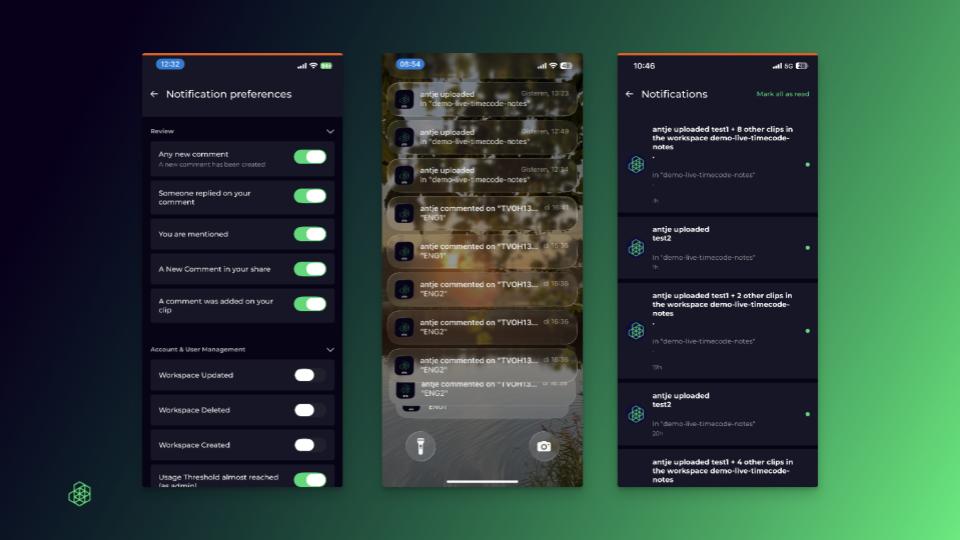
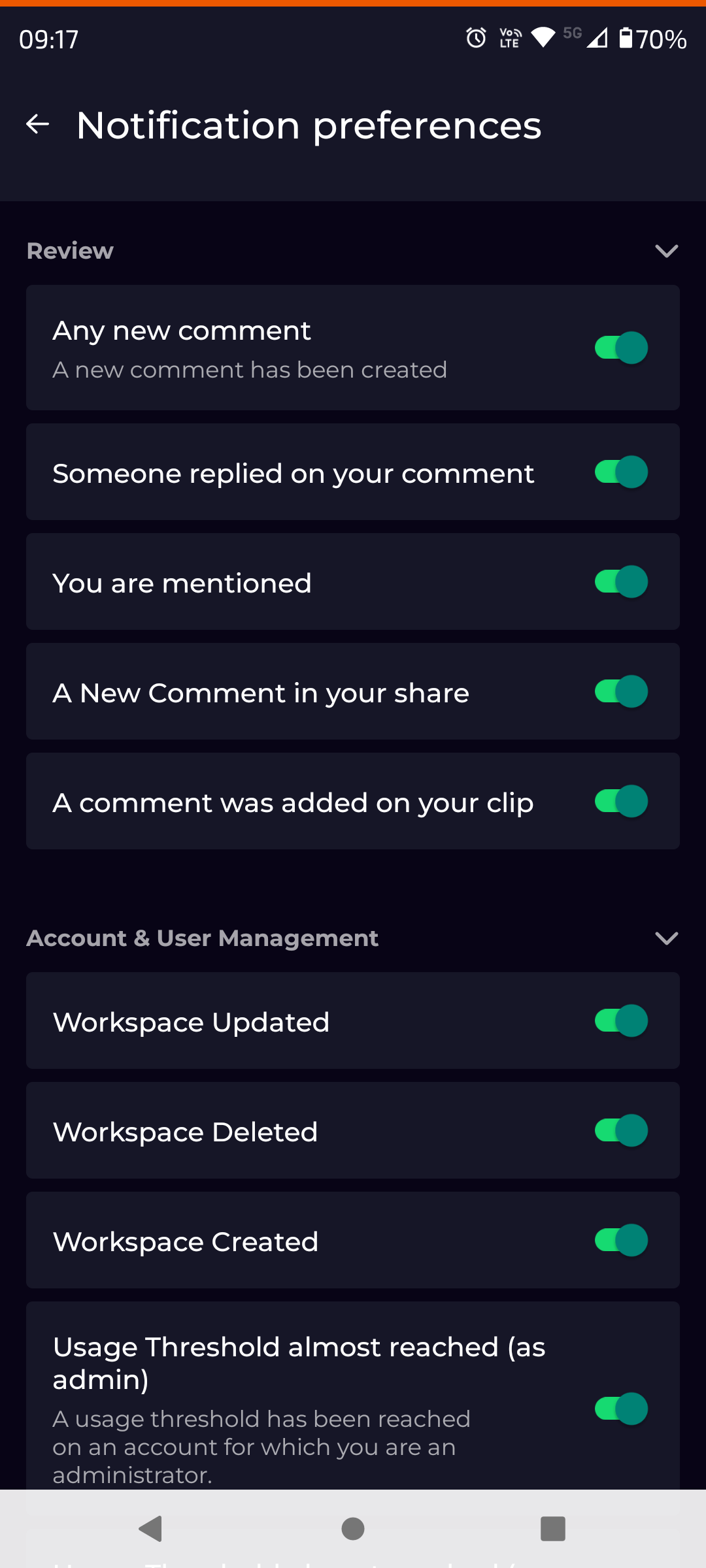
Push notifications are sent directly to your mobile device through the Limecraft Mobile App. They can be managed through the notification preferences in the mobile app settings.
Examples of when push notifications are useful:
- Production staff can monitor ingest jobs from their phone while on set.
- Reviewers can be notified immediately when they receive a mention or reply.
- Producers can stay aware of new comments and feedback without manually refreshing the app.
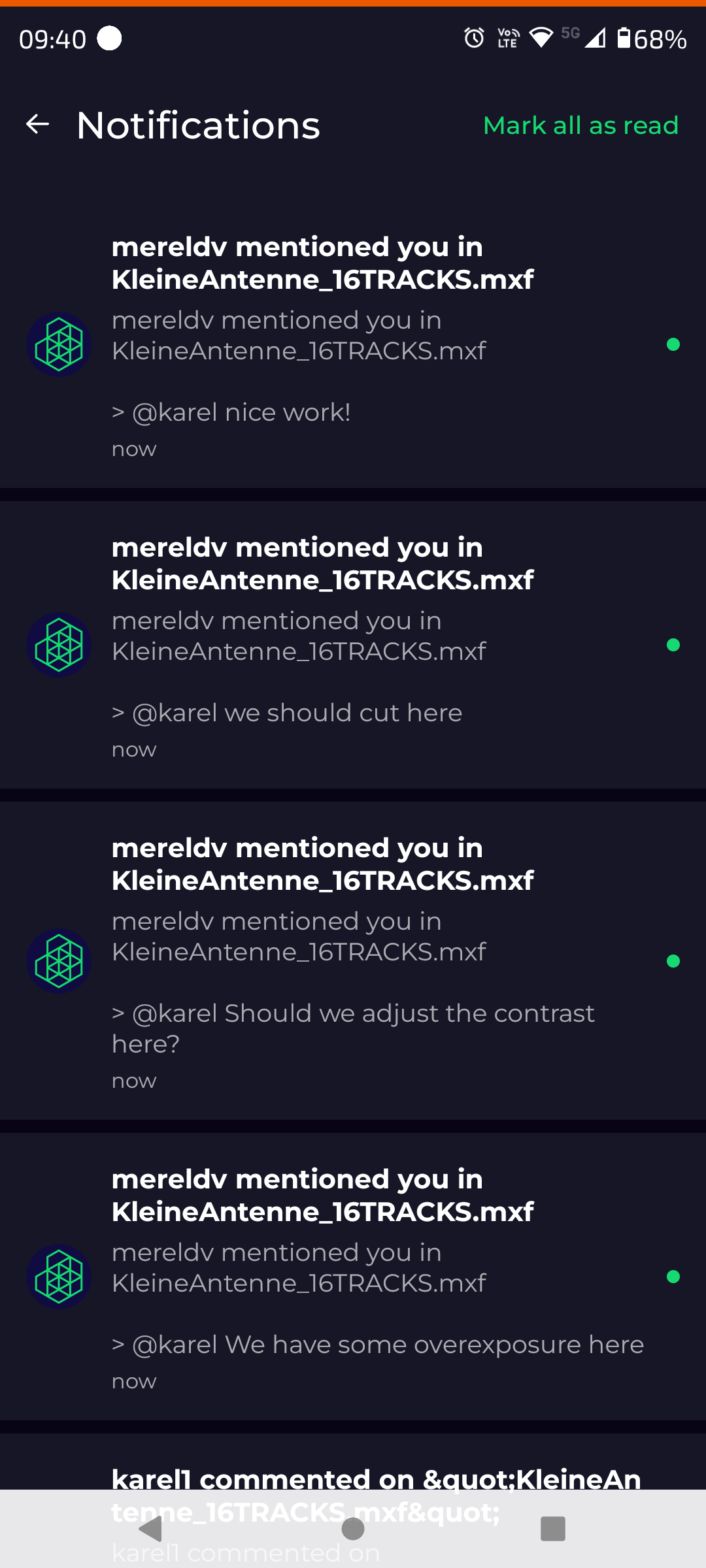
In-app notifications
The Limecraft Mobile App also includes an in-app notification feed. This provides the same familiar notification experience as in the Limecraft platform in your browser, allowing you to keep track of collaboration activity and updates in one place.
In-app notification pfreferences are managed from the user preferences in the Limecraft browser application. Changes made there determine which notifications are displayed across the Limecraft platform, including the mobile app.