If you experience issues while using Limecraft Edge, the following troubleshooting steps can help resolve the most common problems.
Retry a Failed Job
If a job reports an error:
- Verify that your computer has a stable network connection.
- Select the failed job in Limecraft Edge.
- Click Retry to restart the job.

Restart Limecraft Edge
If Limecraft Edge is not behaving as expected, restart the application. If the issue persists, restart your computer and then launch Limecraft Edge.
End the MongoDB Process (Windows)
If Limecraft Edge becomes unresponsive or cannot access its local database, the MongoDB process may still be running in the background.
- Close Limecraft Edge.
- Open Task Manager.
- Find the mongod.exe process.
- Select the process and click End task.
- Restart Limecraft Edge.
Reset the Edge Database
If the Limecraft Edge does not start, you may need to clear the Edge database.
Important: Clearing the Edge database resets the application's local configuration. After clearing the database, you will need to configure Limecraft Edge again before you can continue using it.
Windows
- Close Limecraft Edge.
- Delete the following folder: C:\Users\{user}\AppData\Roaming\Limecraft\Edge\.edge\mongo2
- Start Limecraft Edge.
- Complete the Edge configuration.
macOS
- Close Limecraft Edge.
- Delete the following folder: /Users/{user}/Limecraft/Edge/.edge/mongo2
- Start Limecraft Edge.
- Complete the Edge configuration.
Still Need Help?
If the issue persists after completing these troubleshooting steps, contact your Limecraft administrator or Limecraft Support for further assistance.
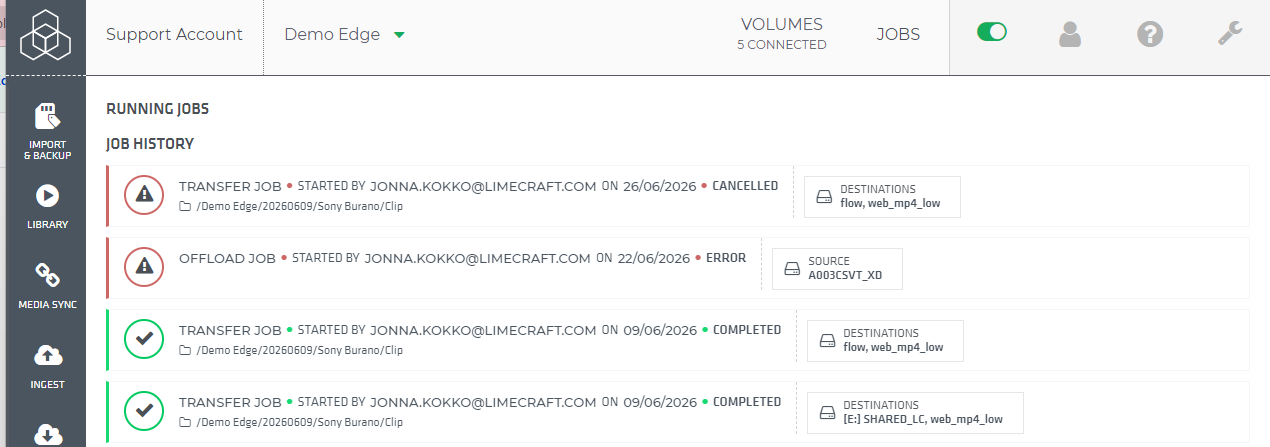
When reporting an issue, include a screenshot of the error details to help with troubleshooting. You can find the error information in the JOBS log:
- Open the JOBS log in Limecraft Edge.
- Open the relevant job.
- Click Show details.
- Take a screenshot of the error details and include it with your support request.